

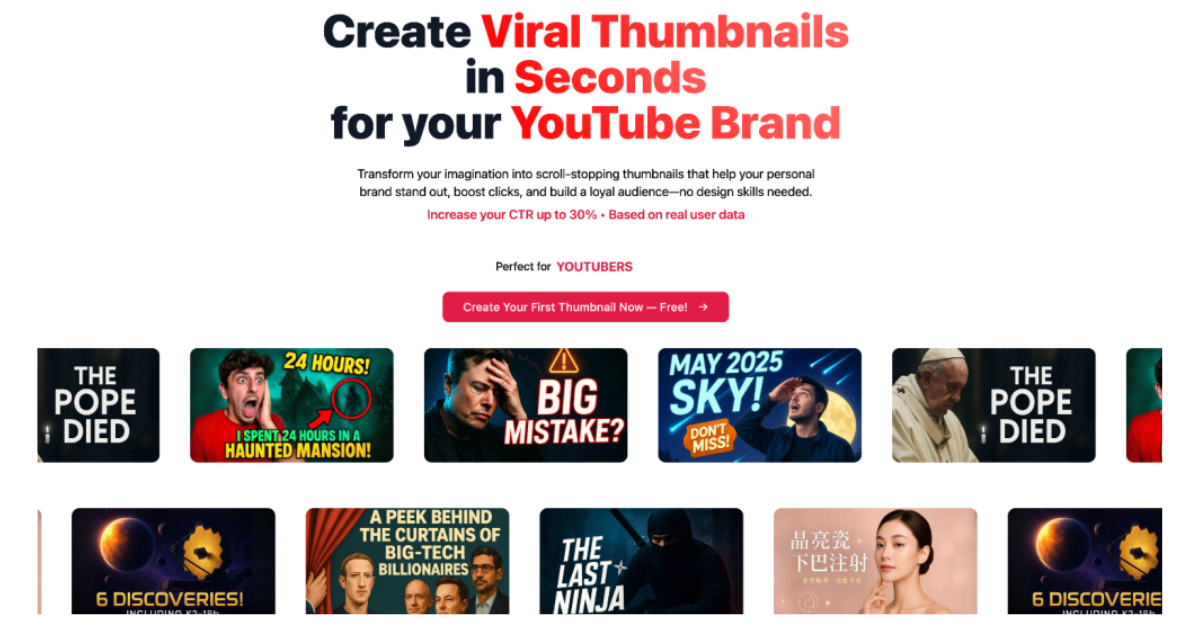
The digital real estate of a YouTube homepage is more competitive today than it has ever been. In 2026, a creator’s success is no longer just about the quality of the video; it is about the “split-second decision” a viewer makes when scrolling. This decision is driven almost entirely by the thumbnail and the brand’s visual consistency. As someone who has managed digital assets across multiple high-traffic niches, I have seen firsthand how a 2 percent increase in click-through rate (CTR) can be the difference between a video dying in obscurity or reaching millions.
The fundamental shift in 2026 is that AI tools have moved beyond simple filters. We are now in the era of “Matter-Aware Design” and “Predictive CTR.” These systems do not just make things look pretty; they analyze historical data, competitor layouts, and human eye-tracking patterns to suggest the exact placement of every element. However, the biggest hurdle most creators face is not a lack of tools, but a lack of strategy. Relying on AI to do the thinking for you often leads to a “generic” look that viewers have learned to ignore.
In this guide, we will break down the essential categories of AI branding software and how to implement them into a professional workflow. We will explore how to maintain a unique human identity while using machine efficiency to scale. The goal is to build a brand that feels authentic and intentional, not one that looks like a stock AI generation.
The Shift to Data-Driven Visual Identity
In earlier years, branding was based on a creator’s “gut feeling.” You chose colors you liked and fonts that looked cool. Today, that approach is a liability. Modern branding tools now integrate directly with YouTube’s API to analyze what is working in your specific niche in real-time. If you are in the “AI Tools” niche, the colors and compositions that work for you are vastly different from what works in “Lifestyle Vlogging.”
One lesson I learned the hard way is the importance of “Visual Anchor Points.” When you use AI to generate images, the machine often tries to make everything equally detailed. This confuses the human eye. A high-performing thumbnail needs a single, clear focal point—usually a face with a high-intensity emotion or a high-contrast object. Modern tools now allow you to “weight” certain parts of an image during generation, ensuring the most important element stands out while the background remains supporting but not distracting.
Consistency is the second pillar of branding. AI “Brand Kits” now allow you to feed the software your existing logos, color hex codes, and preferred typography. When you generate a new thumbnail concept, the AI automatically applies these constraints. This ensures that even if you are testing five different styles, they all feel like they belong to the same “family.”
Leveraging Predictive Analytics for Click-Through Rates
The most advanced part of thumbnail design in 2026 is predictive heat-mapping. Before you ever upload a video, you can run your thumbnail through a simulator that predicts where a viewer’s eyes will land first. I have seen creators spend hours on a background detail that no one actually notices, while the main text was placed in a “blind spot” covered by the video duration timestamp.
These predictive tools use massive datasets of billions of clicks to give you a “CTR Score.” If your score is low, the AI suggests specific changes: “Increase contrast on the subject,” “Move text to the left third,” or “Change background color to complement the main subject.” This takes the guesswork out of the design process.
However, a mistake I see often is creators following these suggestions too blindly. If every creator in your niche uses the same “AI-optimized” high-contrast red background, eventually that color becomes “background noise” to the viewer. The real skill is using the AI to find the standard, and then intentionally breaking one rule to stand out. This is where human insight beats a machine every time.
What Most Websites Get Wrong About This
Most blogs will tell you that the more “AI-looking” your thumbnail is, the better it will perform. This is a myth. In 2026, there is a growing “AI Fatigue” among audiences. If a thumbnail looks too perfect, too smooth, or has that tell-tale “plastic” AI skin texture, viewers often skip it because it feels like low-effort, automated content.
Another major error is over-automating the “branding” aspect. Many sites suggest using AI to generate your entire brand identity—logo, banner, and colors—in one click. While this is fast, it lacks “Information Gain.” It doesn’t tell a story. A brand built entirely by a machine often lacks the “imperfections” that make a human creator relatable. I always recommend using AI to generate the options, but a human must make the final selection and “weather” the design to make it feel lived-in.
Finally, most advice ignores the “Thumbnail-to-Content Gap.” It is easy to use AI to generate a clickbaity, high-energy thumbnail that has nothing to do with the actual video. This might get you the click, but your “Average View Duration” (AVD) will crater. Google’s 2026 algorithms are highly sensitive to this gap. If a viewer clicks and leaves within ten seconds because the thumbnail lied, your video will stop being recommended. The thumbnail must be an honest promise of what is inside.
Strategic Comparison of YouTube Design Systems
Not all AI tools are created equal. Some are built for speed, while others are built for deep creative control. Understanding which category a tool falls into will help you decide where to spend your budget and time. The following table provides a breakdown of the current landscape for YouTube creators.
| Capability Category | Best Use Case | Key Strength | Potential Downside |
| All-in-One Suites | Small teams or solo creators. | Fastest workflow from idea to finished export. | Limited “pixel-perfect” manual control. |
| Generative Design | Highly stylized or cinematic niches. | Creates unique, high-fidelity images from scratch. | Can look “too AI” if not carefully prompted. |
| CTR Analytics | Data-heavy channels and A/B testing. | Predicts performance before you hit publish. | Can lead to “boring” designs if you follow it 100%. |
| Text-Forward Tools | Education and Tutorial channels. | Excellent at rendering clean, readable typography. | Less focus on complex background imagery. |
| Automation Workflow | High-volume “faceless” channels. | Scales production to 5+ videos per week easily. | Harder to maintain a unique, “human” brand voice. |
Mastering Character Consistency in Branding
One of the hardest things to do with AI used to be keeping your “face” or “character” the same across different thumbnails. In the past, if you generated an AI character for one video, the next time you tried, it would look like a different person. In 2026, “LoRA” (Low-Rank Adaptation) and “Identity Locking” technology have solved this.
You can now train a small AI model on just 15 to 20 photos of yourself or a fictional brand mascot. Once trained, the AI can place that exact “identity” into any scenario. You can be on the moon, in a futuristic lab, or in a medieval castle, and the face remains 100 percent consistent. This is a game-changer for branding because it allows for “Visual Storytelling” that was previously only possible for big-budget animation studios.
I recently worked with a tech creator who used this to create a “Future Self” version of his brand. By keeping the character consistent but changing the environments using AI, his audience began to recognize the character even before reading the title. That is the definition of a successful brand.
[Image showing the process of training an AI model for consistent character branding across multiple thumbnails]
My Personal Recommendation: Who This Is For — and Who Should Skip It
If you are a professional creator who publishes at least twice a week and wants to treat your channel like a business, you must invest in these tools. The time saved on manual masking, color grading, and font selection alone will pay for the subscriptions in a single month. More importantly, the data provided by predictive analytics will stop you from wasting time on designs that were destined to fail.
However, if you are a “Vlog-style” creator whose brand is based on raw, unedited authenticity, you should skip the heavy AI generation. Your audience follows you for your “realness.” If you start using hyper-realistic, AI-generated versions of your life in your thumbnails, you will break the trust you have built. For you, simple AI “Enhancement” tools (like background removal or lighting correction) are enough.
Also, if you are just starting and haven’t found your “voice” yet, don’t get distracted by complex AI branding. No amount of AI design can fix a bad video idea. Focus on your content first, and bring in the automation tools only when you have a clear understanding of who your audience is and what they expect from you.
The Future of Visual Competition on Discovery Platforms
We are moving toward a “Winner-Takes-All” market where the most visually arresting content gets a disproportionate amount of the traffic. As AI makes high-quality design accessible to everyone, the “floor” for quality has been raised. A “decent” thumbnail is no longer enough; it is now the minimum requirement just to stay in the game.
The creators who will dominate the next few years are those who treat their thumbnails as a separate creative project. They will use AI to iterate through 50 different concepts in 10 minutes, use predictive tools to pick the top three, and then use their human intuition to add the final 10 percent of “soul” that makes the design connect with a person’s emotions.
Innovation in 2026 isn’t about the tool you use; it’s about how you combine these tools to create something that feels like it could only come from you. The machine provides the speed, but you provide the vision.












Leave a Reply